Keep Your Money Organized
Compare planned and actual amounts for income, bills, expenses, savings and debt.


PRINTABLE & EDITABLE · MONTHLY BUDGET PDF
Print it. Fill it. Make your month clearer.
One-time purchase · Download after confirmed payment
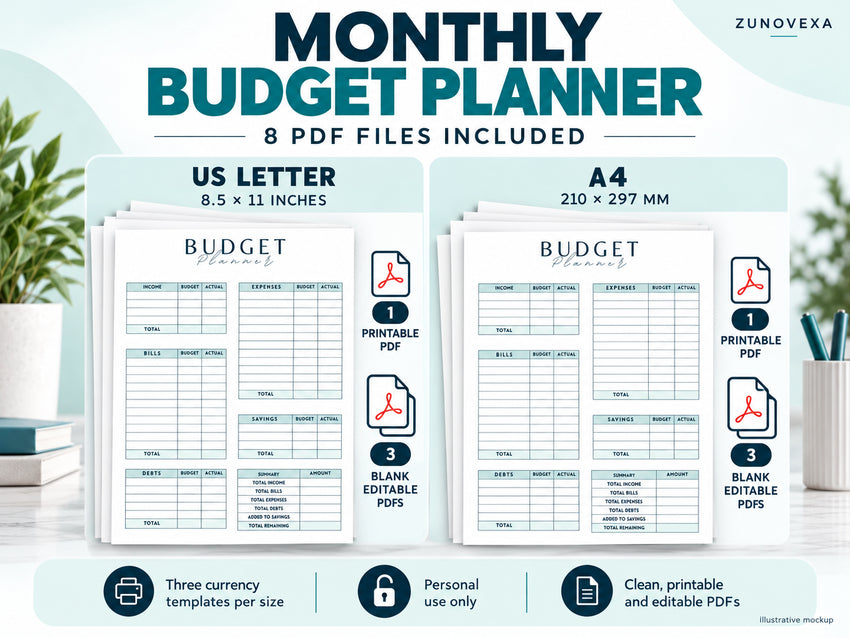
Includes 8 PDF files only: printable and editable versions in A4 and US Letter.
Perfect for bullet journal lovers and anyone looking to track income and expenses with ease. Keep your monthly numbers together in a clean, printable and editable planner.
8 PDF files for two paper sizes:
This is a digital product. No physical item will be shipped.
For best results, use Adobe Acrobat Reader (free) to fill the editable PDF fields. Goodnotes and Notability can be used for writing or annotation; editable-field behavior depends on the app. Third-party apps are not included.
For personal use only. Not for resale or redistribution.
Your files become available to download once payment is confirmed. Keep your order email and check spam if the download message is missing.
Digital downloads are not eligible for routine returns, exchanges or cancellations. If you have a problem with your order or files, contact Zunovexa. Our Refund Policy and applicable consumer rights apply.
Have questions? Message Zunovexa — we are happy to help. For download issues, include your order number.
✨ Thank you for visiting our shop, and happy budgeting!
Bills, everyday purchases and savings plans can be easier to review when they share one page. Give your monthly income and expenses a clear place to go. ⏱️
A simple worksheet for a calmer budgeting routine.
📒 🌿

Actual A4 PDF · Open the full-size preview ↗
SEE THE PLANNER BEFORE YOU BUY
Compare planned and actual amounts for income, bills, expenses, savings and debt.
Print a fresh page for your bullet journal or write digitally in a compatible PDF app.
The undated layout is yours to reuse each month, at your own pace.
Four files in A4 and four in Letter: a printable version plus three blank editable currency templates for each size.
Set down your planned amounts, then record the actual figures as the month unfolds.
Give your regular categories a place on the page and keep monthly expenses in view.
Record savings contributions and debt payments, then complete your monthly summary.
Both sizes are included. Choose the one that fits your paper, binder or digital workflow.
Choose the matching paper size in your print settings and check the preview before printing.
PAPER, COMPUTER OR TABLET...
Fill editable fields with Adobe Acrobat Reader, print at home, or import the PDF into Goodnotes or Notability to write and annotate.
App support and editable-field behavior can differ. Third-party apps are separate.
For your binder or bullet journal.
Adobe Acrobat Reader is recommended.
Annotate in a compatible PDF app.
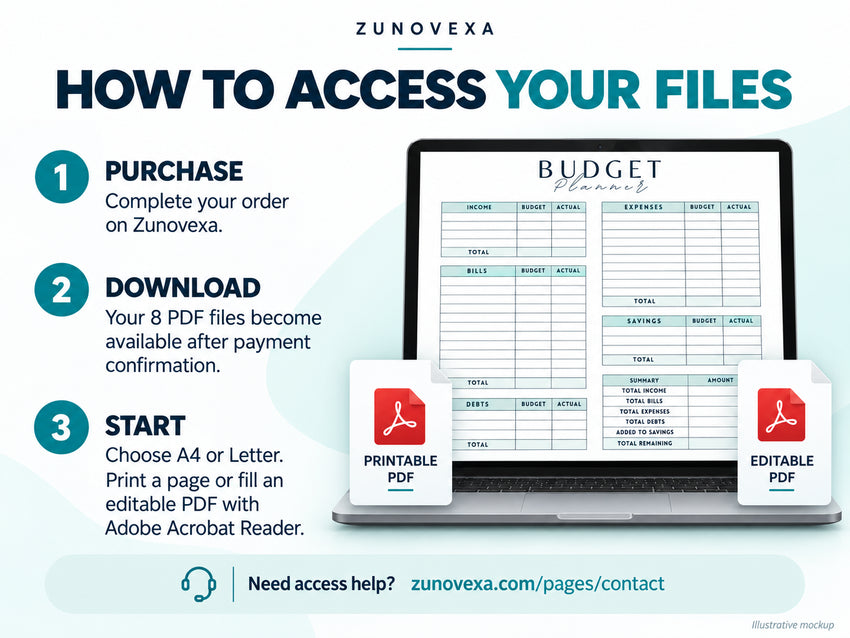
After confirmed payment, use your order’s download links to save the 8 PDFs.
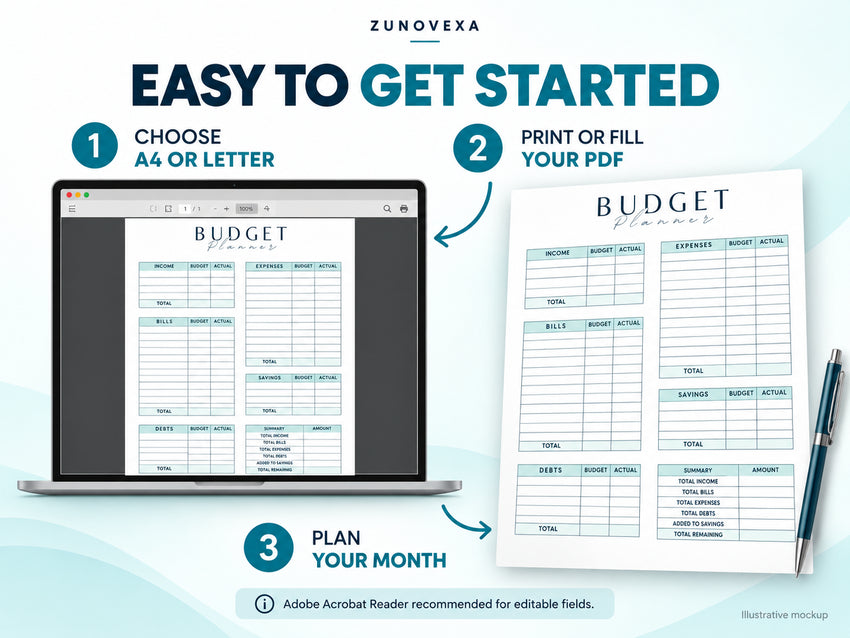
Choose A4 or Letter. Print a page, fill the editable version, or annotate digitally.
Record your income and expenses, review your numbers, and reuse a blank copy next month.
Choose the workflow that suits you.
Yes. Use one of the editable versions with Adobe Acrobat Reader. You can also write or annotate after importing the PDF into Goodnotes or Notability; those apps may handle editable fields differently.
Fill the editable PDF fields with Adobe Acrobat Reader, write on a printed page, or annotate the PDF in a compatible app. Enter and review your monthly amounts manually.
Yes. The format is undated. Keep an original blank copy and save a separate filled version for each month.
Use a pen for the printed planner, a keyboard for editable PDF fields, or a compatible stylus if you prefer handwritten tablet notes. A stylus is not required for typing.
Check your order email and spam folder, then contact Zunovexa with your order number. For technical problems or refund questions, see our Refund Policy.
For beginners, journal lovers and anyone ready to organize their monthly numbers.
GET YOUR BUDGET PLANNER →One-time purchase · 8 PDFs · Personal use

Monthly Budget Planner — Printable & Editable PDFs

8 PDF files only · Printable & editable · A4 & US Letter
Bullet Journal Budget Worksheet · Monthly Spending Tracker PDF · Digital Download
Perfect for bullet journal lovers and anyone looking to track income and expenses with ease. Keep your monthly numbers together in a clean, printable and editable planner.
8 PDF files for two paper sizes:
This is a digital product. No physical item will be shipped.
For best results, use Adobe Acrobat Reader (free) to fill the editable PDF fields. Goodnotes and Notability can be used for writing or annotation; editable-field behavior depends on the app. Third-party apps are not included.
For personal use only. Not for resale or redistribution.
Your files become available to download once payment is confirmed. Keep your order email and check spam if the download message is missing.
Digital downloads are not eligible for routine returns, exchanges or cancellations. If you have a problem with your order or files, contact Zunovexa. Our Refund Policy and applicable consumer rights apply.
Have questions? Message Zunovexa — we are happy to help. For download issues, include your order number.
✨ Thank you for visiting our shop, and happy budgeting!
A PDF access link to the Google Sheets template, with Budget and Goal Tracker tabs, plus an XLSX export.
Google Sheets is recommended. Use a free Google account for the complete original template. The Excel export has limitations: the days-remaining indicator and sorted expense breakdown are Google Sheets features.
Digital download after confirmed payment. No physical product is shipped. If you need help accessing your order, contact us.
A personal budgeting file you can update at your own pace.
See real previews, included files and software guidance below.
Follow the included instructions and begin with this month.
When bills, spending and goals sit in different places, reviewing your budget becomes another task on your list.
Monthly Budget Planner — Printable & Editable PDFs brings your monthly figures together, so you can plan, enter actual amounts and review what changed.
Explore this tracker ↑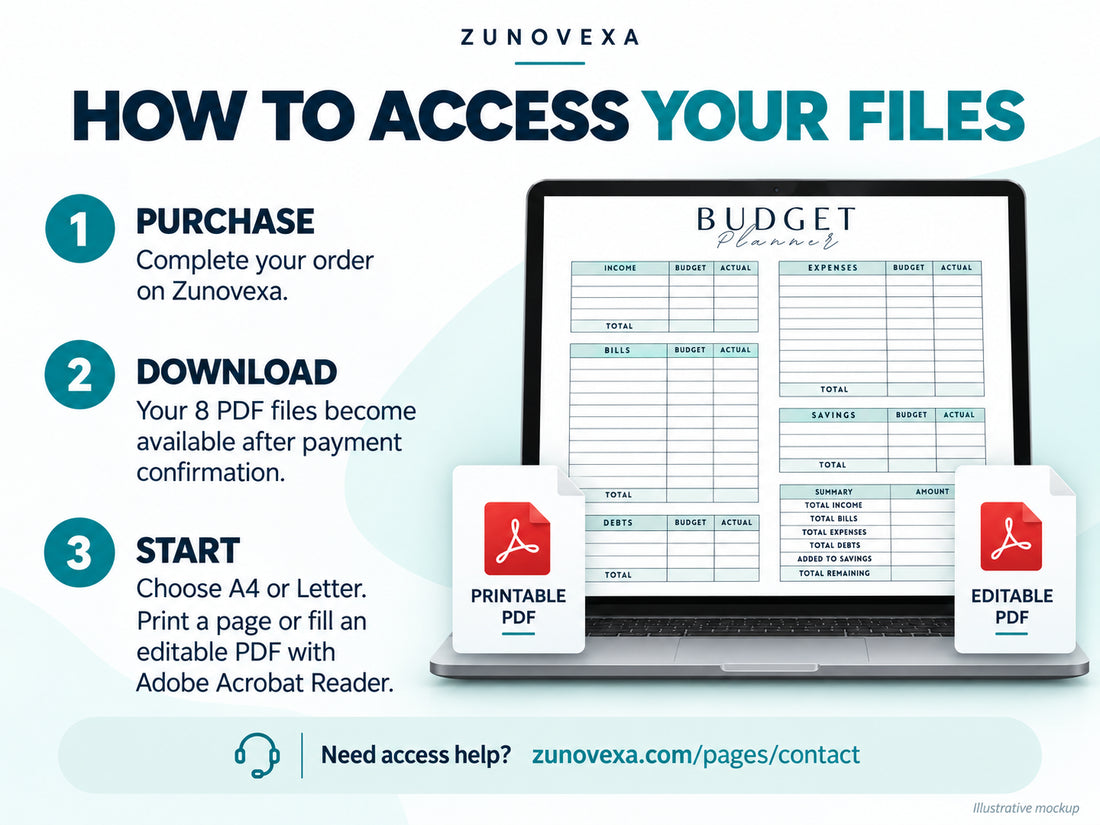
A practical spreadsheet for your income, expenses and priorities.

Enter your planned and actual income for the month.
Keep regular payments visible alongside your budget.
Record your figures under categories that make sense to you.
Use the Goal Tracker tab to follow your savings goals.
Include payments in your plan to understand their place in your budget.
Compare your planned and actual figures before planning your next month.
Both can help you plan. A spreadsheet keeps your figures and calculations together.
| Your routine | Paper budgeting | This digital tracker |
|---|---|---|
| Calculations | Work out totals manually | Built-in spreadsheet formulas |
| Changing a figure | Rewrite or recalculate | Update the relevant input cell |
| Plan vs actual | Create your own layout | Dedicated planned and actual amounts |
| Access | Keep your notebook nearby | Google Sheets account recommended |
| Transactions | Enter manually | Enter manually; no bank connection |
Open the access link in the included PDF, then make your own copy in Google Sheets using a free Google account.
The days-remaining indicator and sorted expense breakdown are Google Sheets features. Some display formulas in the Excel export need a recent Excel version.

Start in Budget for your monthly numbers. Switch to Goal Tracker when you want to review your savings targets.
Soft green tones and a structured dashboard give your monthly budget and savings goals a consistent place.
The previews show the included workbook design. This purchase does not include a separate pack of colour themes.
Adapt the category labels and currency symbol to your routine, following the file instructions.
Use labels that reflect how you receive and spend money.
Choose your currency symbol. Changing it does not convert amounts.
Replace example inputs with your numbers while preserving the formulas.
Check the preview, included files and software requirements.
Complete your purchase and access your digital files after confirmed payment.
Make your Google Sheets copy and enter your first budget.
We create digital budgeting tools that bring everyday numbers into one clear place. Our aim is to make planning and reviewing your month easier to approach.
Start with the figures you have, keep your file up to date, and build a routine that works for you.
Have a question? Contact us
Check the software guidance before purchasing. Read our refund policy.
Product previews of the included digital workbook.
No. This is a digital download. You receive the files after confirmed payment; nothing is shipped.
A PDF access link to a Google Sheets template containing Budget and Goal Tracker tabs, plus an XLSX export.
A free Google account lets you use the original Google Sheets template. Excel is optional for the supplied export and has feature limitations.
A laptop or desktop is recommended for entering and reviewing your budget. Smaller screens and mobile spreadsheet apps can make editing more difficult and may display the layout differently.
You can adapt category labels and the currency symbol following the instructions. A symbol change does not convert amounts. Keep formula cells intact.
No. Enter your income and expenses manually. The workbook calculations use the figures you provide.
No tracker subscription. This is a one-time purchase for personal use. Any separate software licence is not included.
Open the PDF access link, make your own copy in Google Sheets, then start in the Budget tab.
Contact Zunovexa with your order information. Please also review our refund policy before buying.
Watch the budget setup, a manual expense entry and the updated overview. See the spreadsheet you will use before you buy.
Budget tab demonstration with example figures. You enter your own numbers manually; no bank connection is required.
Two examples from a filled demonstration copy of the workbook. The figures are fictional; the calculations show how your entries affect the totals.
Choose Groceries in the expense log and enter $50. With a $400 grocery budget, spending changes from $75 to $125 and the amount left changes from $325 to $275.
 Open full-size view ↗
 Open full-size view ↗
In the Goal Tracker log, choose Savings → Emergency fund and enter $50. The accumulated amount grows from $300 to $350 toward a $1,000 goal. The amount left to save falls from $700 to $650.
 Open full-size view ↗
 Open full-size view ↗
Actual Google Sheets screenshots from a demonstration copy with fictional example data. Budget and Goal Tracker use separate logs; enter the relevant figures in each tab.
After confirmed payment, download the PDF with your Google Sheets template link. An XLSX export is also included.
Use a free Google account and choose File → Make a copy. Read the setup tab and choose your dates, categories and currency symbol.
Use the input cells, record expenses and contributions, then review your budget and savings progress.
Google Sheets is recommended for the complete template. A computer is recommended for setup. The XLSX export has Excel limitations; see the compatibility details above.
Budget and Goal Tracker tabs · Access PDF + XLSX export
$3.61 USD · One-time purchase · Personal use
Get Simple Budget ↑Digital download after payment confirmation. No tracker subscription.
Questions? Contact Zunovexa


